
Chart Preview (3D Highway)
A real-time YARG-style 3D highway preview rendered with Three.js. What you see here is what your chart looks like in-game.
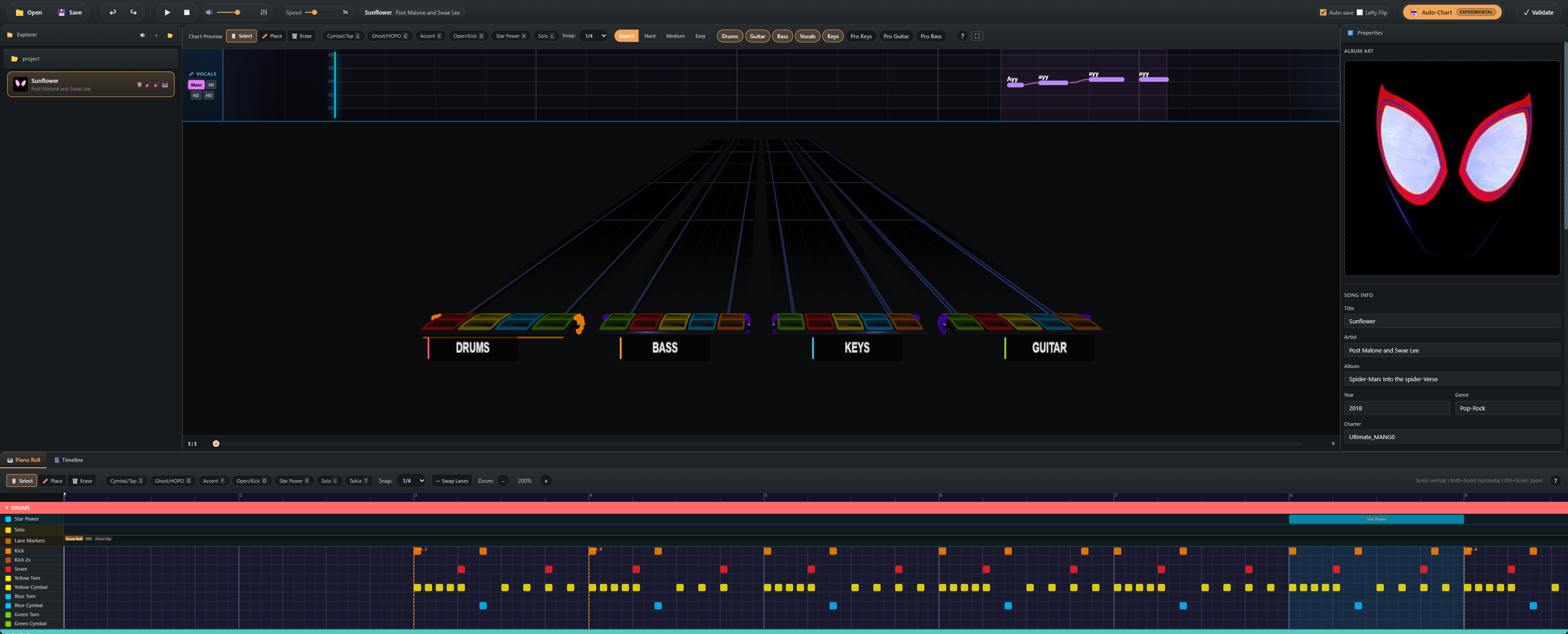
Playback
The preview is locked to the MIDI Editor's playhead — pressing Space plays both at once. Variable speed (toolbar slider) is reflected in both audio and visuals.
Components
- Highway — scrolling note lanes with FBX gem assets and proper YARG textures
- Strikeline — the static hit line at the bottom; gems "hit" here in time with audio
- Beat grid — measure / beat lines synced to the song's tempo map
- Star Power overlay — visualizes star power phrases (purple gradient)
- Solo overlay — highlights solo sections
- Animated venue — background environment, lighting, and characters (if assets are installed)
Venue assets
OCTAVE ships with a default venue. You can install additional venues into:
%APPDATA%/octave/highway-assets/venue/user/The default venue lives at highway-assets/venue/default/. Both folders include ASSET-LICENSES.txt documenting their sources.
Custom venues, gem skins, and highway textures use the same conventions as YARG — most YARG community assets work out of the box.
Edit overlay
When the Place tool is active, the highway overlays a placement preview at the snap position. The overlay disappears during playback so you can review without distraction.
Performance
The preview targets 60 FPS on integrated GPUs. If you see stutter:
- Lower the chart preview window size by dragging the divider
- Disable the animated venue in Settings → Chart Preview → Static venue
- Reduce the FBX gem detail in Settings → Chart Preview → Gem quality