Auto-Chart experimental
Generate a complete Clone Hero / YARG chart from an audio source — drums, guitar, bass, keys, vocals, and harmonies — using OCTAVE's bundled STRUM pipeline.
Experimental
The auto-charter is bundled but still evolving. Output quality varies by genre, and you'll usually want to clean the result up in the MIDI Editor before shipping. We mark it experimental so it's clear: this is a starting point, not a finished chart.
STRUM
STRUM (Stem-aware Transcription, Rhythm & Universal Mapping) is the open-source audio-to-chart engine that powers Auto-Chart. It lives in its own repository at github.com/opria123/strum and is bundled with OCTAVE under resources/strum/. It runs locally — no cloud, no upload.
What STRUM does, in order:
- Stem split with Demucs — drums, bass, vocals, other (skipped if you provide pre-split stems).
- Drum onset detection + classification — kick, snare, toms, hi-hat, crash, ride mapped to General-MIDI.
- Polyphonic transcription of guitar / bass / keys via basic-pitch.
- Vocal melody + lyric alignment — pitched lead with optional HARM2 / HARM3 harmonies.
- Tempo & downbeat detection (or use a manual tempo map you provide).
- Assembly into a complete song folder:
notes.mid, per-stem.oggfiles, and asong.ini.
You can run STRUM standalone from the command line using the same strum_worker.py OCTAVE invokes — see the advanced flags for the env vars and overrides.
Quick start
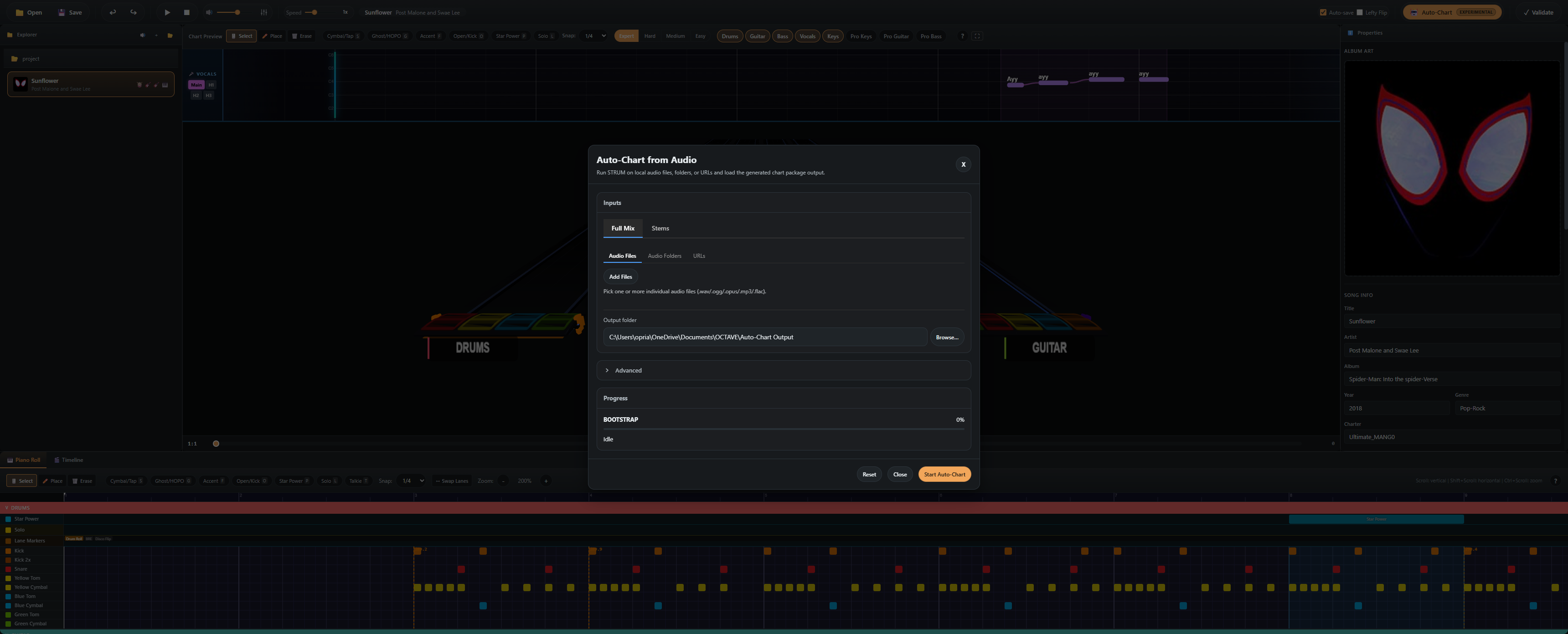
- Click the Auto-Chart button in the toolbar.
- Add files, point at folders, or paste a URL — the modal has tabs for each.
- Click Start Auto-Chart.
- Wait. Progress shows per-stage (bootstrap → split → drums → pitched → vocals → assembly).
- The new song folder appears in your Project Explorer.
That's it for the basic flow. The advanced section covers everything else.
Input modes
| Mode | What to provide |
|---|---|
| Single file | Any audio file. Demucs will split it into stems. |
| Pre-split stems folder | A folder with drums.wav, bass.wav, vocals.wav, other.wav. Skips Demucs (much faster). |
| YouTube URL | The audio is downloaded with yt-dlp and processed as a single file. |
Bundled Python runtime
OCTAVE ships with its own Python 3.11 runtime in packaged builds — you don't need to install Python yourself. The runtime is downloaded the first time you click Auto-Chart (about 250 MB) and cached in:
- Windows:
%APPDATA%/octave/python-runtime/ - macOS:
~/Library/Application Support/octave/python-runtime/ - Linux:
~/.config/octave/python-runtime/
In dev builds, OCTAVE prefers a project-local .venv\Scripts\python.exe if it exists. See Python Runtime Setup for details.
Next
- Advanced options → — track gating, manual BPM, tempo maps, harmonies, offline mode
- Auto-Chart troubleshooting →
- STRUM on GitHub ↗ — source, issues, and standalone CLI usage