Settings
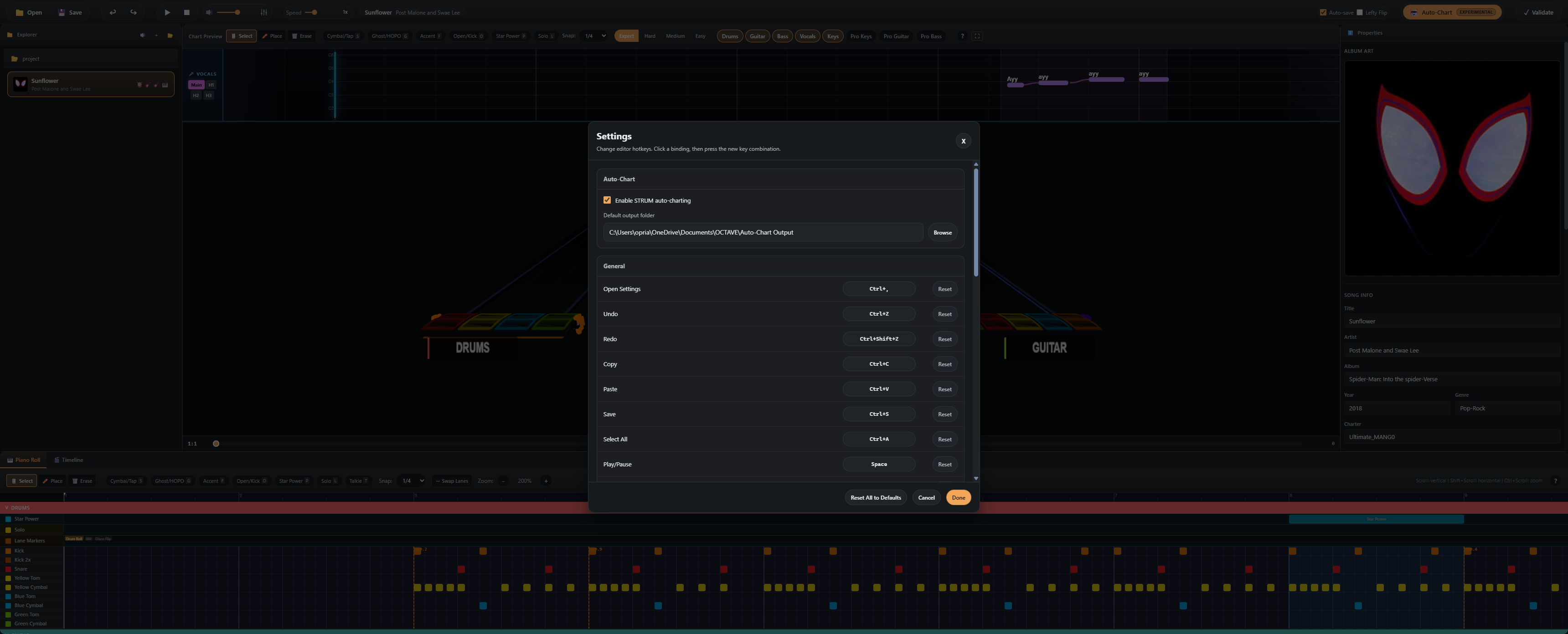
Open with Ctrl+, (or Toolbar → Settings).
General
- Theme — Dark (default) / Light
- Output directory — where new projects (and Auto-Chart output) are written
- Autosave — toggle + idle delay (seconds)
Hotkeys
Full list of remappable shortcuts. See the Keyboard Shortcuts reference for the defaults.
Audio
- Default playback gain — used when first opening a song
- Output device — pick the OS audio device to render through
- Buffer size — lower = lower latency, higher = more stable
Chart Preview
- Static venue — disables animated venue elements (saves GPU)
- Gem quality — Low / Medium / High FBX detail
- Show beat grid — toggle the beat lines in the highway
- Strikeline glow — toggle hit-line bloom
Auto-Chart
- Default tracks — which instruments are pre-checked when opening the modal
- Use bundled Python runtime — when off, OCTAVE looks for a system
python3.11first - Force CPU — disables GPU even if available (useful for debugging)
- Custom Python interpreter — override path (advanced; sets
OCTAVE_STRUM_PYTHON)
Advanced
- Reset all panels — restore default panel sizes
- Open logs folder — opens the OS file manager at the OCTAVE log directory
- Open user data folder — opens the OCTAVE app-data directory
Settings file location
Settings are stored as JSON next to the Electron user data:
| Platform | Path |
|---|---|
| Windows | %APPDATA%\octave\settings.json |
| macOS | ~/Library/Application Support/octave/settings.json |
| Linux | ~/.config/octave/settings.json |
Editing this file by hand is supported — restart OCTAVE to pick up changes.